
- in Production by Bobby Owsinski
Reference Tracks And How To Use Them
The use of reference tracks is a topic that has been popping up a great deal lately and there seems to lots of confusion as to how to select and use them. Here’s a quick guide that will tell you all you need to know on the subject.
Why Use A Reference Track?
The reason to use reference tracks is that you need a reference point for your ears in terms of balance and timbres.
It’s something to shoot for when you start to mix, and something to compare to as you go along.
It gives you a way to reset your ears when you become unsure of your mix direction.
Not using a reference track usually means a longer mix, and sometimes having to do it over again.
The Ideal Reference Track Is. . .
- Something that you know very well
- Something that allows you to tell when the sound changes from one playback environment to another, or zero in on the problem when it just doesn’t sound right
- Either one of your own mixes or just a favorite track that you love
- Clear, full and distinct. The higher the quality (resolution), the better
Where To find Hi-Res Tracks
You can use a song from a CD, but you can get high resolution tracks from the following:
- Qobuz
- HDTracks
- ProStudioMasters
- Acoustic Sounds
- Tidel (high resolution tier)
- Deezer (high resolution tier)
Be sure to use a FLAC, AIFF, WAV, DSD, ALAC or MQA file as your reference.
Use This Track Comparison App
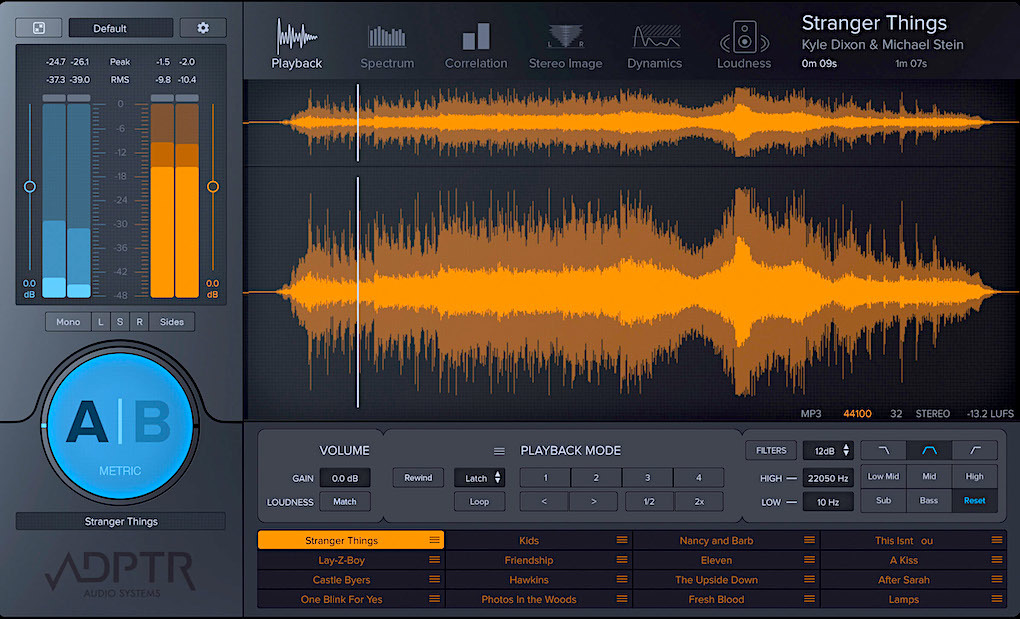
The easiest way to compare mixes is with the ADPTR Audio Metric AB app (pictured above).
It allows you to compare mixes with 1 button click, have up to 16 ref tracks instantly available, set levels so mix and ref are the same, and set loop and cue points.
There are also built-in analysis and metering modes. The plugin is available from Plugin Alliance.
How To Use A Reference Track
1. Choose a track that you know extremely well
2. Don’t use a track just because someone else uses it
3. Use several tracks with different sonic characteristics
4. Listen to the track before you begin to mix
5. Compare your mix to the track during your mix
The biggest mistake that you can make is using a reference track because someone else is using it. That doesn’t help you much and can even be counterproductive if you’re not sure what the track is supposed to sound like.
The key is to choose something that you know extremely well where you can tell when the nuances of the track change.
Using A Reference Track For AI-Assisted Mastering
One of the keys to creating a great master when using an Al mastering platform is to use a reference track.
That means that you upload a finished song that you like the sound of to the mastering platform, where it will analyze it and copy the EQ curve, dynamics, and loudness. It will then apply those properties to your song file and create a master that sounds similar to your reference track.
TIP: One of the secrets to selecting a good mastering reference track is to first choose something in your genre, and secondly, make sure it’s already a mastered file.
It’s okay if you copy a major label release track from a streaming service like Spotify, Apple Music, or a CD.
The reference track isn’t actually stored by the platform, so you’re not violating anyone’s copyright – only its EQ and compression parameters are temporarily copied and applied to your master.
You can experiment by uploading your song to Landr, Cloudbounce, Maaster, Songmastr, or any of the popular mastering platforms, and have it first create a master track without using a reference track. Then upload a reference track and create another master and compare the two.
Most likely you’ll be a lot happier with the master that was created as a result of using the reference track.
You can find out more about The Mixing Engineer’s Handbook and my other books at bobbyowsinski.com.
